How to Convert a PDF to a Podcast: Turn Documents into Audio
Transform research papers, reports, and documents into engaging podcast episodes. Learn how PDF-to-podcast technology works and when to use it.
PDF-to-podcast technology converts any document — research papers, reports, textbooks, whitepapers — into engaging two-host conversational audio episodes in under 15 minutes. What if you could turn a 50-page research paper into a 15-minute podcast episode? This technology makes it possible — and the results are surprisingly good.
Why Convert PDFs to Podcasts?
We're drowning in documents. Research papers, quarterly reports, technical documentation, whitepapers — the volume of written content far exceeds what most people have time to read. Audio changes the equation.
Accessibility — Not everyone absorbs information best by reading. Audio content lets people learn while commuting, exercising, or doing household tasks. This is why AI podcast generation is transforming how organizations share knowledge.
Engagement — A well-structured podcast episode is more engaging than scrolling through a dense PDF. The conversational format makes complex information approachable.
Distribution — Podcasts reach audiences that documents don't. Publishing your research as audio opens it up to entirely new listener bases. If you're new to the concept, see what is AI podcast generation for a broader overview.
How Does PDF-to-Podcast Conversion Work?
The technology behind converting documents to podcasts involves several AI stages:
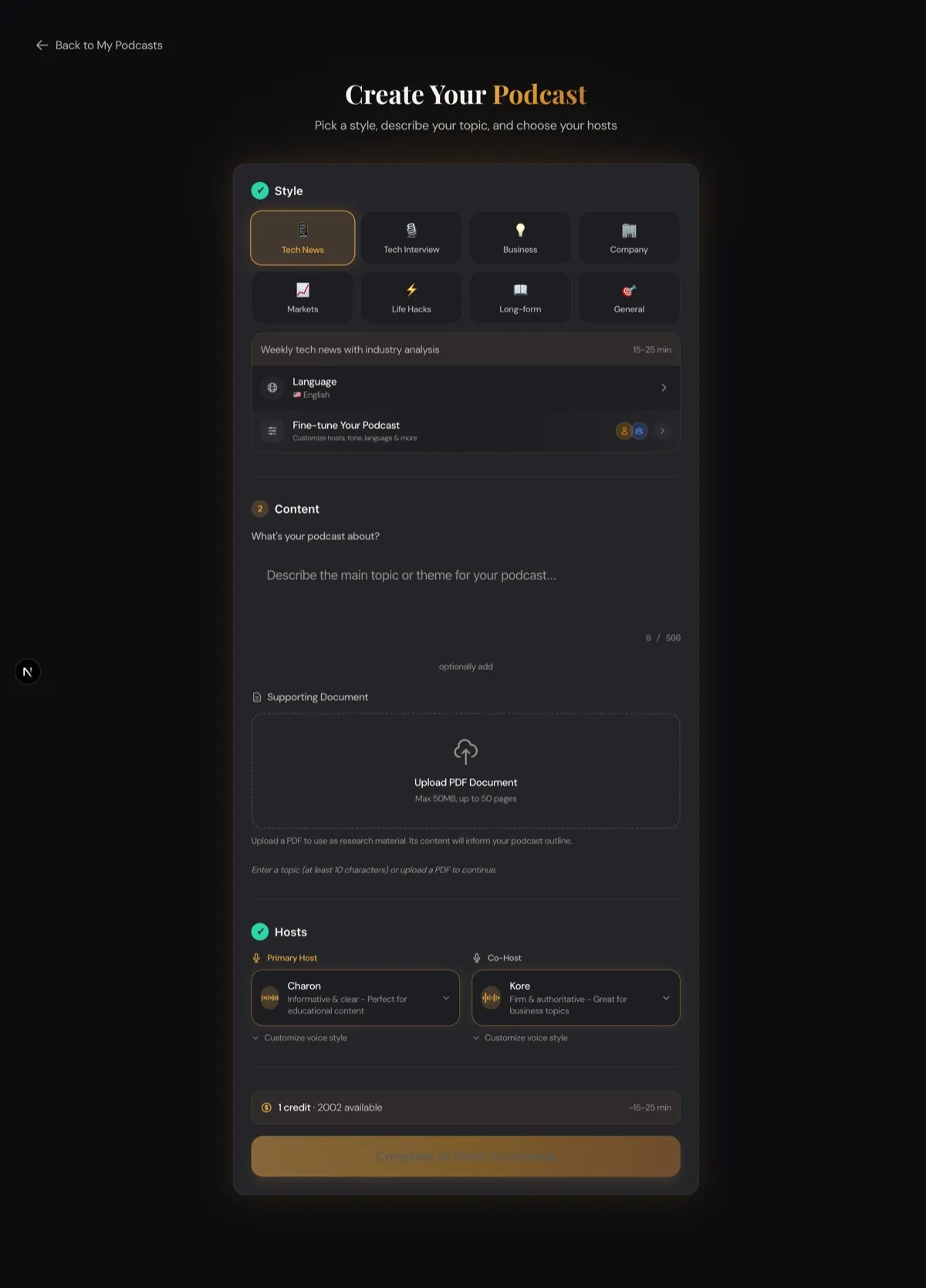
1. Document Parsing
The AI extracts text from your PDF, handling layouts, tables, headers, and footnotes. Modern parsers handle multi-column layouts and embedded images intelligently.
2. Content Analysis
The AI identifies the key themes, arguments, and data points. It distinguishes between critical information and supporting details, creating a hierarchy of importance.
3. Script Generation
A language model transforms the extracted content into a conversational podcast script. This isn't just reading the PDF aloud — the AI restructures the information for audio consumption, adding transitions, summaries, and narrative flow.
4. Audio Synthesis
Text-to-speech technology narrates the script with natural-sounding voices. Advanced TTS models handle technical terminology, proper nouns, and varied pacing.
Turn your documents into audio. Upload a PDF and create your first episode — no editing or audio skills required.
Best Use Cases
Academic Research
Turn published papers into accessible summaries. Researchers can share their work with broader audiences, and students can review material during their commute. PDF-to-podcast is one of the most impactful AI podcast use cases in education.
Business Reports
Quarterly earnings, market research, competitive analysis — convert any business document into a digestible audio brief for your team.
Technical Documentation
API docs, architecture overviews, onboarding guides — audio versions help new team members get up to speed faster.
Legal and Policy Documents
Make compliance updates, policy changes, and regulatory guidance accessible to stakeholders who won't read a 30-page PDF.
What Are the Best Practices for PDF Podcasts?
Choose the Right Documents
PDFs with clear structure (headings, sections, logical flow) convert best. Heavily visual documents with lots of charts and graphs may lose context in audio format.
Set the Right Template
Choose a podcast template that matches your content:
- Educational for research papers and technical docs
- Business Analysis for financial reports and market research
- Company Analysis for annual reports and organizational documents
Review and Refine
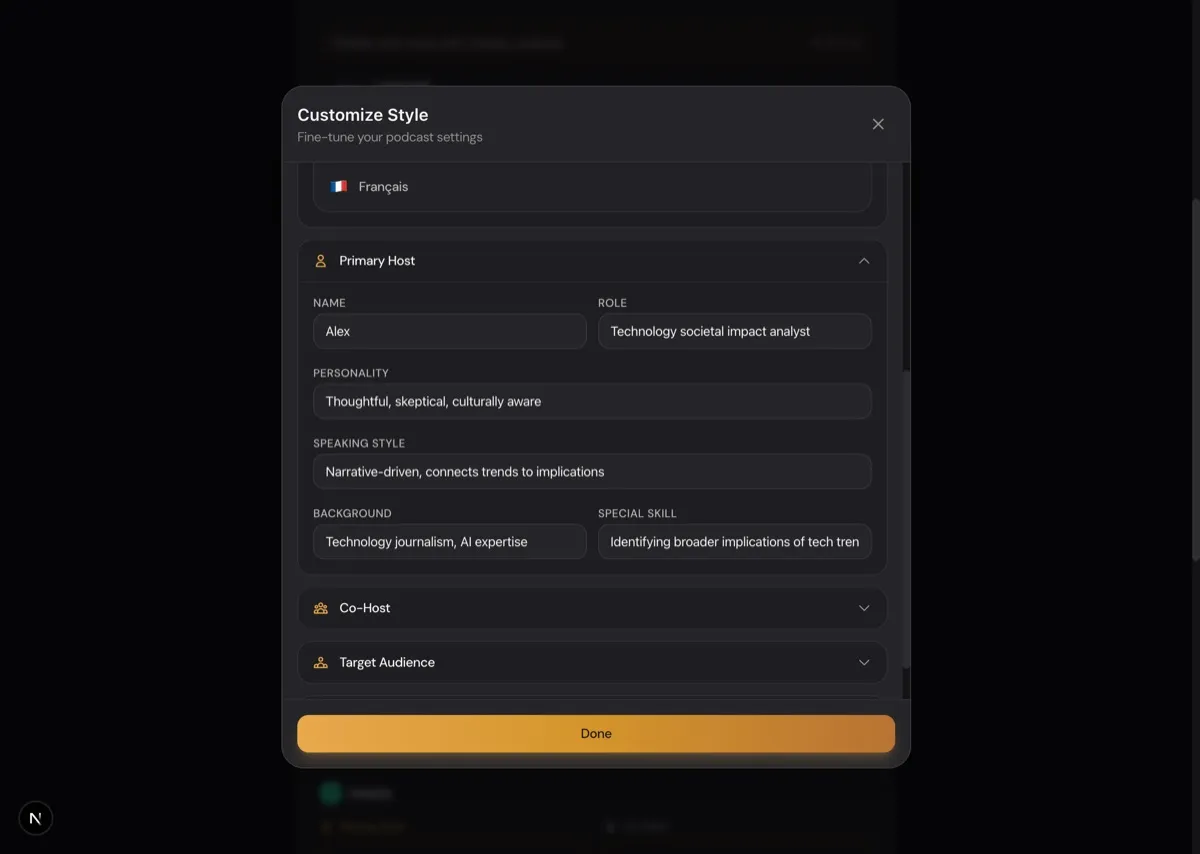
After the AI generates an outline from your PDF, review it. You can remove sections that don't translate well to audio (like detailed data tables) and add context the AI might have missed. Customize the voice and personality to match your audience.
Consider Your Audience
A podcast for executives should highlight different aspects of a report than one for engineers. Think about what your listeners need before generating.
Limitations to Know
- Highly visual content (charts, diagrams, infographics) loses meaning in audio format
- Very long documents (100+ pages) work better when you select specific sections
- Mathematical formulas and code snippets don't translate well to speech
- Tables with dense numerical data are better summarized than read verbatim
Getting Started
Converting your first PDF to a podcast takes about 10 minutes:
- Upload your PDF document
- Select a podcast template and voice
- Review the AI-generated outline
- Approve and generate your episode
The AI handles the heavy lifting — extracting content, writing the script, and synthesizing the audio. You just need to provide the document and make editorial decisions about the outline.
Ready to turn your documents into podcasts? Upload a PDF and create your episode on DIALØGUE.
Written by
Chandler NguyenAd exec turned AI builder. Full-stack engineer behind DIALØGUE and other production AI platforms. 18 years in tech, 4 books, still learning.
Related Articles


Ready to create your own podcast?
Turn any topic or document into a professional podcast — with outline and script review before audio.
Create a Podcast