Studio Show Workflows: Repeatable Podcast Production Without Auto Scheduling
Learn how to use Studio as a repeatable podcast workflow: define the show once, add topics manually when they matter, review the outline, and generate episodes on demand.
Studio is built for repeatability, not blind automation. You set up the show once — hosts, template, language, branding, timezone context — then add topics manually when there is actually something worth turning into an episode. The hardest part of podcasting is usually not episode one. It is episode eleven, when the format needs to survive real life.
Most podcasters start strong. They research, script, record, and edit their first few episodes with enthusiasm. But by episode 10, the production cycle starts feeling unsustainable. The show slows down, then stops entirely.
Studio solves this problem by separating the creative decisions you make once from the production work that should stay consistent every time.
What Is Studio?
Studio is DIALØGUE's repeatable show workflow. Instead of recreating the same podcast format from scratch for every episode, you define the show once — your topic categories, your template, your host personalities, your brand voice, and your audience timezone — then reuse that setup whenever you want to publish.
This is not about creating generic AI podcasts. It's about building your own branded show where you maintain creative control while the product handles the repetitive parts: structure, review checkpoints, script assembly, audio generation, and optional episode video.
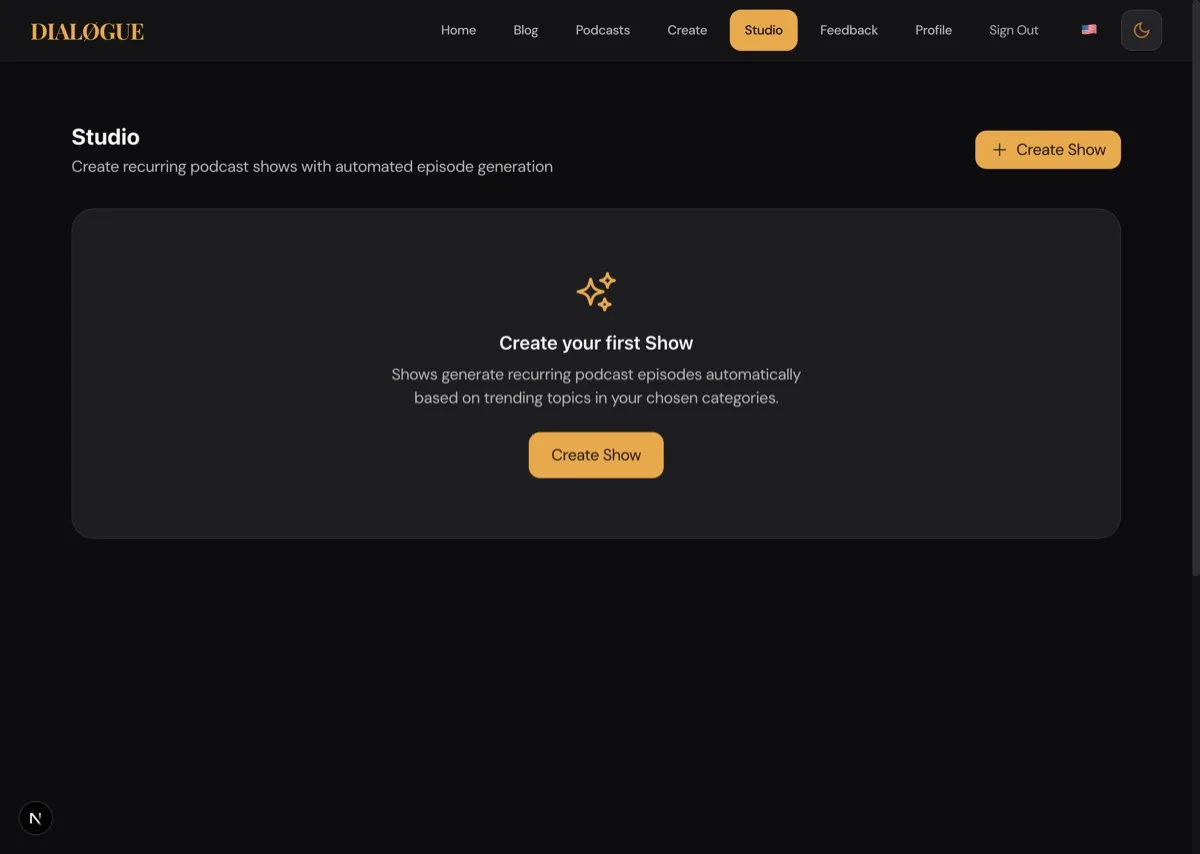
Think of it like setting up a production playbook. You establish the format, the tone, and the talent once. Then every new episode starts from that blueprint without reinventing everything each time.
How Does Studio Work?
1. Define Your Show
Start by creating a show with:
- Name and description — Your brand identity
- Keywords and categories — What the show usually covers (e.g., "quantum computing, AI ethics, space exploration")
- Template — Tech News, Business Analysis, Educational, or any of the 8 podcast formats
- Voice configuration — Choose from 279 ElevenLabs voices and set consistent host personalities
- Tone settings — Formal, conversational, energetic, analytical
These settings persist across all episodes. You're not starting from scratch every time.
2. Add The Topic Manually
This is the intentional editorial step. When you are ready to make a new episode, open the show's queue and add the topic yourself.
That sounds less magical, but it is the safer product. You decide when the topic is good enough, timely enough, and on-brand enough to deserve an episode. Studio then applies the show's persistent configuration to that topic.
For teams and creators who care about quality, this is usually the right tradeoff: repeatable production, manual editorial judgment.
3. Review The Outline
Studio still uses DIALØGUE's outline-first workflow. Before credits are spent on the final audio, you see:
- The proposed segment structure
- The framing angle
- The estimated length
- The research-backed narrative direction
If something feels off, change it before you approve. That review step matters more than any scheduler ever could.
4. Generate On Demand
Once the outline is approved, Studio continues through script generation, final approval where applicable, audio generation, and optional video assembly.
That makes Studio useful for:
- recurring internal briefings
- regular customer education updates
- branded expert commentary
- multilingual series where the format stays stable
Launch your own Studio show. Open Studio and build the show once, then generate episodes when they are actually ready to exist.
5. Persistent Configuration
This is the key differentiator. Your host personalities, conversational style, and brand voice carry over to every episode automatically.
For strategies on building consistent brand voice, check out our guide on branded podcast strategy.
If you've defined your hosts as "a skeptical security researcher and an optimistic futurist," that dynamic persists across all episodes. You're not re-explaining the format every time. The show develops its own identity.
Learn more about creating distinctive hosts in our AI voice customization guide.
Real-World Use Cases
For business-specific repeatable content strategies, see our guide on podcasts for business.
Weekly Tech Briefing
- Template: Tech News
- Keywords: "AI regulation, semiconductor industry, open source, cybersecurity"
- Cadence: Publish whenever the story set is worth it
- Format: 4 trending stories, 12-15 minute episodes
The show keeps the same identity every week, but the team chooses the topic bundle manually so weak news cycles do not force thin episodes.
Weekly Business Deep-Dive
- Template: Business Analysis
- Keywords: "SaaS metrics, startup funding, market analysis"
- Cadence: On-demand with a repeatable format
- Format: 2-3 company analyses per episode, 20-25 minutes
Each week focuses on different companies or business models within your area of interest. The expert host personalities you've defined provide consistent analytical framing.
Monthly Industry Trends
- Template: Educational
- Keywords: "biotechnology, clinical trials, FDA approvals"
- Cadence: On-demand when the monthly synthesis is ready
- Format: 3 major developments, 18-20 minutes
A monthly synthesis of the most important movements in your field. Listeners know when to expect it, and the format is predictable without being repetitive.
How Do You Maintain Quality Control?
Repeatability does not mean giving up control. Studio still uses DIALØGUE's review flow.
Before any episode generates the full script and audio, you see the outline:
- Proposed topics
- Planned segments
- Research sources
- Estimated length
If something looks off — a topic isn't relevant, the angle is wrong, or you want to adjust the focus — edit the outline or skip that episode. Credits are only spent after you approve.
This approval step is crucial. It prevents wasted credits on episodes you do not want to publish while still saving you most of the research and production time.
And if your workflow includes script review, that gives you a second control point before the audio is finalized. I think that matters a lot for branded or business content.
Credit Efficiency
Studio uses the same credit-based pricing as regular episodes:
- $4.99 for 4 episodes
- $9.99 for 9 episodes
- $19.99 for 18 episodes
- Start with 2 free credits
There's no subscription, no monthly fee, no commitment. You pay per episode generated. If you want to pause your show for a month, nothing happens — no charges, no pressure.
This makes it practical to run multiple shows on different schedules without worrying about recurring costs for shows you're not actively producing.
Getting Started
Setting up your first Studio show takes about 10 minutes:
- Go to /series
- Click "Create New Show"
- Define your show configuration
- Add the topic for your first episode
- Approve the outline
- Review the script if needed
- Download and publish
After that, every new episode starts from the same strong configuration. Check in, approve the outline, and publish — or skip any episode that does not meet your standards.
The Bigger Picture
Studio represents a shift in how we think about AI podcast generation. Instead of treating AI as a tool for isolated one-off episodes, it becomes the production infrastructure for an ongoing show format.
You're not using AI to replace your creative decisions. You're using it to eliminate repetitive work — formatting scripts, synthesizing audio, and carrying forward your show configuration — so you can focus on editorial choices: which topics matter, what angle to take, what your show stands for.
This is how solo creators can compete with production teams. This is how niche shows can publish consistently without corporate backing. This is how good ideas that would have died after 5 episodes can build audiences over 50 episodes.
For strategies on turning Studio shows into marketing assets, see our guide on AI podcasts for marketing. If you want a repeatable content engine, check out AI podcast SEO content strategy.
Ready to launch your own Studio show? Open Studio now and see how a repeatable workflow changes what's possible.
Written by
Chandler NguyenAd exec turned AI builder. Full-stack engineer behind DIALØGUE and other production AI platforms. 18 years in tech, 4 books, still learning.
Related Articles
Ready to create your own podcast?
Turn any topic or document into a professional podcast — with outline and script review before audio.
Create a Podcast